Orbital Simulator / Case study
I wanted to see orbital physics happen in real time.
I built an interactive n-body simulation in Unity. I calculate the gravity between every pair of bodies, update their momentum in smaller substeps, and automatically move the camera so the whole system stays visible.
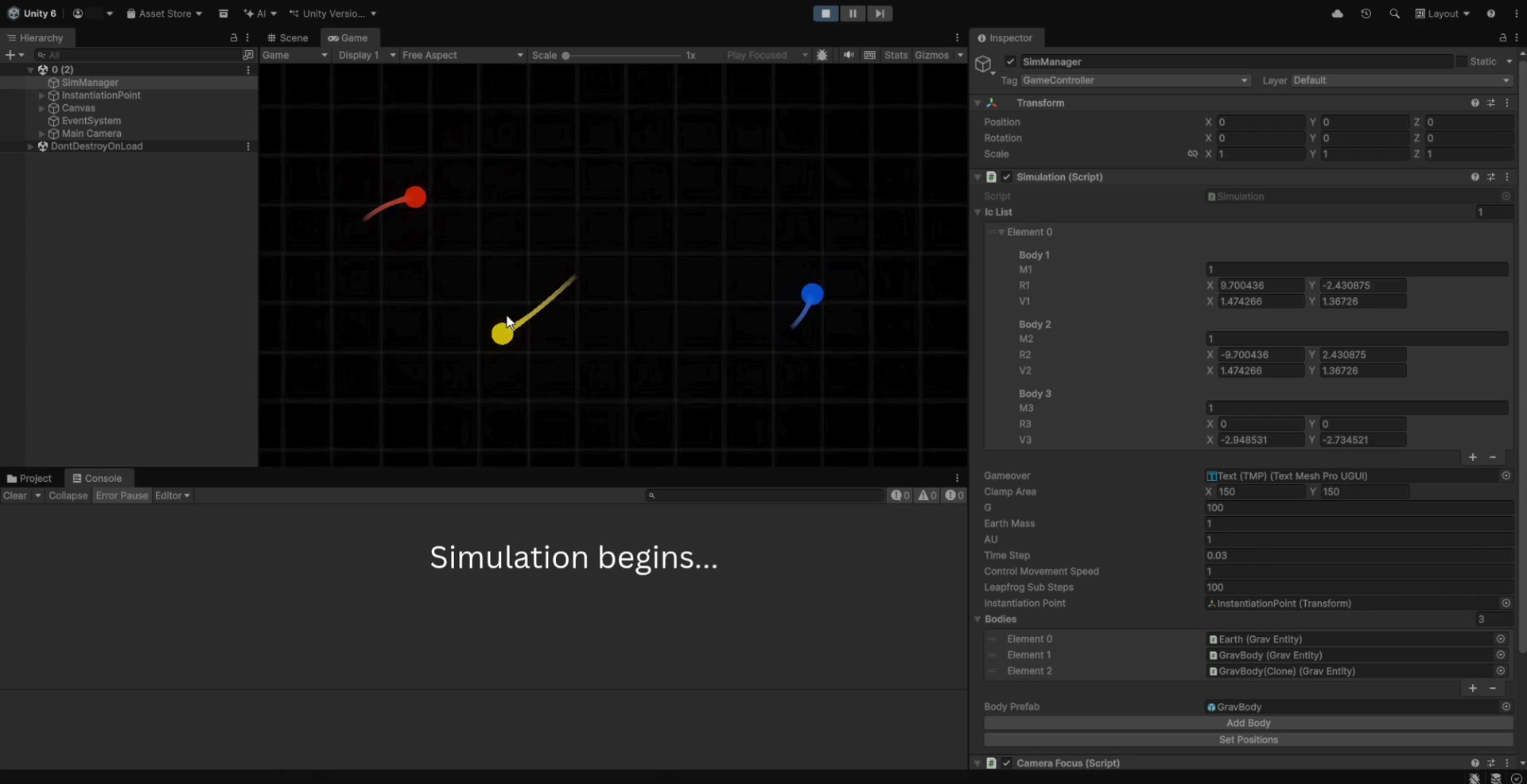
My demo
I kept the simulation interactive.
I can cycle through bodies, move one, reset its momentum, or accelerate it while everything is still running. I added trails because they show the path that created the current result instead of only showing where each body is now.
How I modeled it
I calculate every unique pair of bodies.
For each pair, I apply Newton’s inverse-square gravitational force along the direction between them. I add the impulse to one body and subtract it from the other so the pair keeps the same total momentum. Then I move each body using its momentum divided by its mass.
I split each physics frame into configurable substeps. More substeps cost more processing time, but they make fast or close passes more stable.
How I handled scale
I convert Unity positions using an astronomical-unit scale and body mass using an Earth-mass scale. That lets me work with manageable scene coordinates while the math represents much larger values.
How I handled the camera
I calculate bounds around every body, move the camera toward the center, and change its size to keep the system on screen. I also shift the background with the camera so the movement is easier to see.
What I learned
I learned that the numerical method changes the experience.
- I cannot separate stability from the time step. The simulation changes depending on how often I sample the forces.
- I need an explicit scale. Converting at the boundary keeps my Unity coordinates readable.
- I use visuals to debug math. Trails and selection colors make bad trajectories obvious.
- My next step is validation. I want to compare momentum and orbital energy against known two-body cases and measure the error at different time steps.